
Create your own logos data pack, include the clubs for the countries you want and then load it in the app.
Visit the club IDs file to find the IDs of the clubs you want to use.
Create a folder and add your logo images. The filename of each image must be the club ID.
Restriction: The maximum size of each image is 25 KB.
Example packs:
Upload your zip to Google Drive and get a direct download link.
If your file URL is: https://drive.google.com/file/d/ID_EXAMPLE/view?usp=sharing, use this as the download link: https://drive.google.com/uc?export=download&id=ID_EXAMPLE
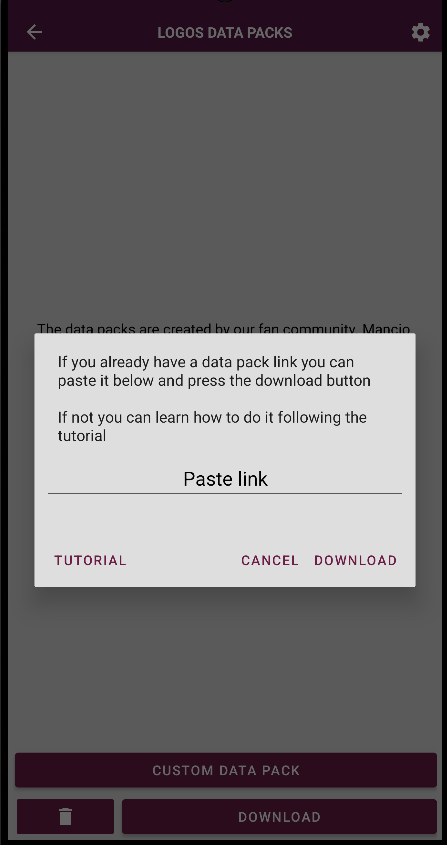
Paste the download link in the app and press the download button.
Create your own players data pack with squads for the countries and seasons you want, then load it in the app.
Create a root folder with any name you like, for example data_pack_example. This folder will contain all countries and seasons of your pack.
Decide which countries you want to include and create one folder per country inside your data pack folder. Each folder name must match exactly one of the available country names (uppercase, use underscores instead of spaces).
Inside each country folder, create one folder per season you want to add. The folder name must be a numeric year with a maximum of 4 digits (for example 2024 or 98).
Example structure:
data_pack_example/
  ENGLAND/
    2024/
    2025/
  SPAIN/
    2023/
Inside each season folder, create a CSV file named players_data (for example players_data.csv). Use semicolons (;) as separators. The first line is treated as a header and is skipped when loading.
Use the club IDs file to find the team IDs for the clubs you want to add players to. Each club ID must belong to the same country as the folder you are editing.
Each player is one line with this format (semicolon-separated):
TEAM_ID;PLAYER_NAME;POSITION;NUMBER;GOAL;ASSIST;NATIONALITY;AGE
The last two fields (NATIONALITY and AGE) are optional. Example:
34;David Raya;GOALKEEPER;22;0;0;61;29
35;Nicolas Morgantini;RIGHT_BACK;24;10;15
Field rules:
GOALKEEPER, DEFENDER, MIDFIELDER, FORWARD, CENTRE_BACK, LEFT_BACK, RIGHT_BACK, DEFENSIVE_MIDFIELD, CENTRAL_MIDFIELD, LEFT_MIDFIELD, RIGHT_MIDFIELD, ATTACKING_MIDFIELD, LEFT_WING, RIGHT_WING, CENTRE_FORWARD.10 or -).Squad size: Each team must have between 15 and 50 players per country and season file.
At least 6 fields are required per line. Lines with fewer fields are rejected as incomplete.
Compress the root folder (for example data_pack_example) into a .zip file. The zip must contain your country folders at the top level inside the archive.
Upload your zip to Google Drive and get a direct download link.
If your file URL is: https://drive.google.com/file/d/ID_EXAMPLE/view?usp=sharing, use this as the download link: https://drive.google.com/uc?export=download&id=ID_EXAMPLE
Open the Players data packs screen in the app, paste the download link, and press the download button to import your custom pack.